Instagram
How to import Instagram Reels into Salvo
Follow these steps to send any Instagram Reel to Salvo so we can automatically extract every place mentioned and save them into organised lists.
- 1
Tap the share button on the reel
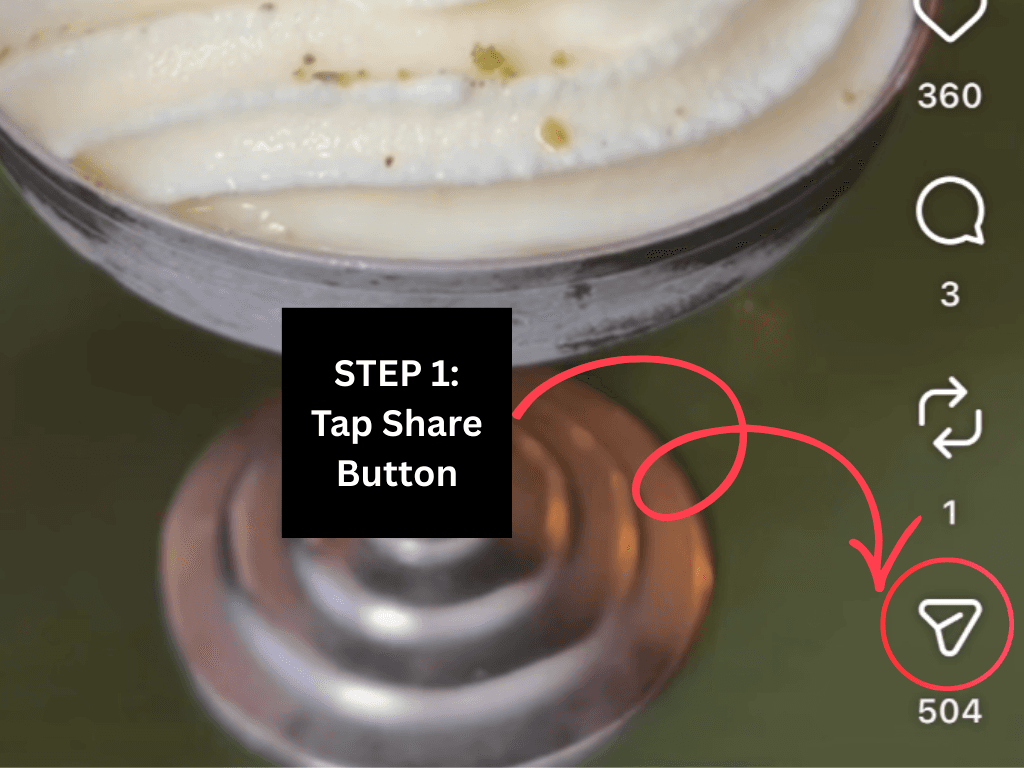
On Instagram, open the reel you want to save, then tap the share icon on the right‑hand side of the screen.
- 2
Tap "Share to..."
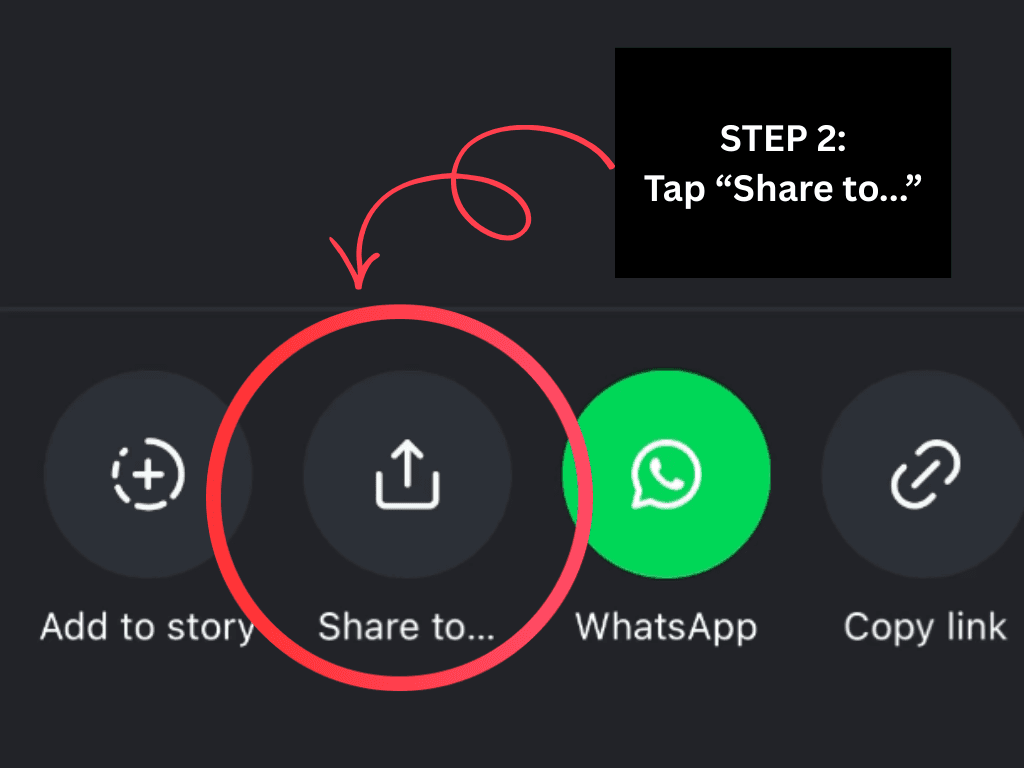
From the share options, tap “Share to...” to open the iOS share sheet with all your apps.
- 3
Choose the Salvo icon

In the share sheet, tap the Salvo icon (or tap “More” to find it). We’ll receive the reel link and start extracting every place mentioned.
Pro tip: If you don’t see Salvo yet, go to 'More', select Salvo and the next time, it will be one of the first options.
Next: import your first reel
Pick one reel you love the most and send it to Salvo right now. You'll have a list of places ready before you finish scrolling your feed.
Get the app to start importing